Troubleshooting
My PasCal won’t turn on
It’s usually an empty battery. Charge it, then press ON.
Updated November 17, 2026
Charge it
Plug in the USB-C cable to any USB charger and leave it for a while.
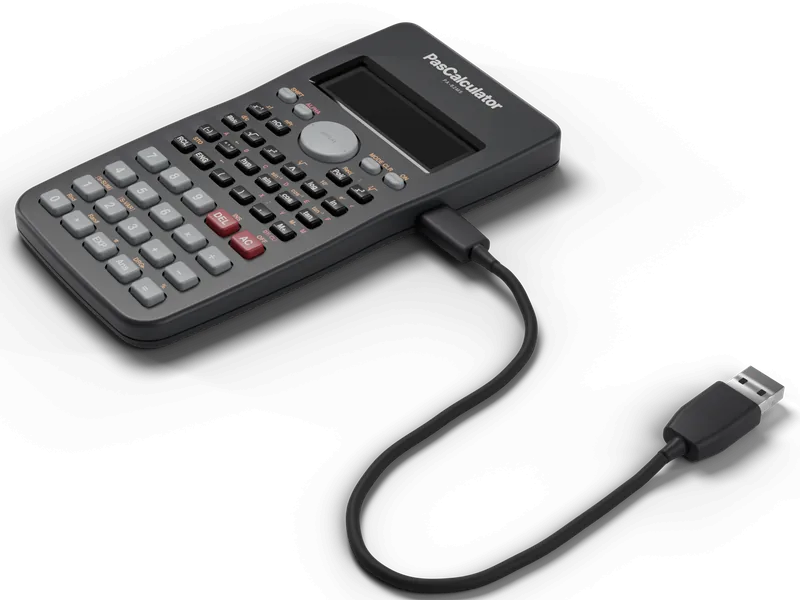
3D illustration Press ON
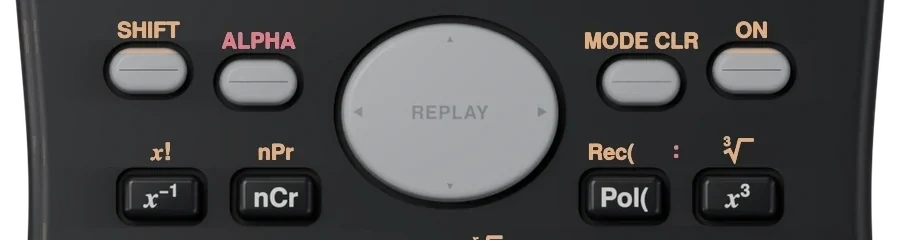
Top row, far right. Press it firmly once.
ON
Screen still dark?
If you used Hide in the app or on your Watch, press any key to wake it. The screen also sleeps by itself, and any key wakes it.
Try another cable or charger
A different USB-C cable or charger rules out a bad cable.
Was this helpful?
Thanks for letting us know.
Sorry about that. or send us a message.